How a voice to-do list works in Nodus
- Hold and speak. A task, an idea, a goal with a deadline, or something you repeat. Say it the way you would say it to a friend.
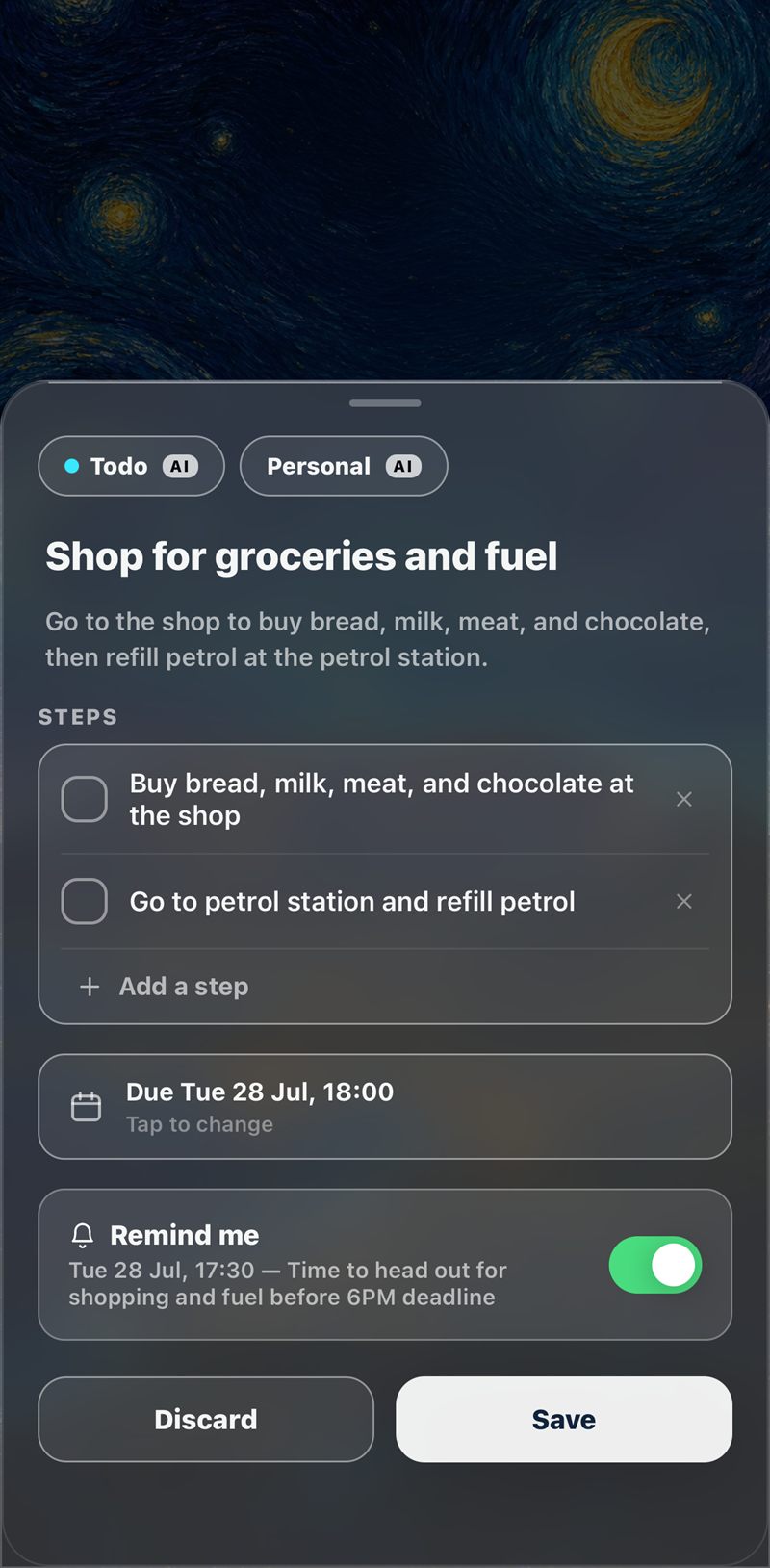
- AI structures it. Nodus gives the thought a clear title, breaks it into steps, reads the date you mentioned and proposes a reminder time.
- You review and save. Change anything, then save. Nothing is final until you approve it.
More than a list of tasks
Spoken thoughts are not all to-dos, so Nodus keeps four kinds of item apart. To-dos are the concrete things. Goals are the bigger ambitions, with milestones. Ideas are worth exploring later. A routine is something you repeat: say “every weekday at half past six I stretch and journal” and Nodus builds the daily checklist. For deadlines that come round every year, see renewal reminders.
Every item also has its own AI chat. Ask it to break the work down, move the deadline or add a step you forgot.
Can’t talk? Type it
On a train or in a meeting, type the thought instead. It goes through the same structuring, so a typed capture ends up as the same kind of plan as a spoken one.
It comes back when it matters
A saved item carries its reminder with it, on your phone and your watch. If you turn on the morning summary, Nodus opens the day with “Today’s 3”: the few items that are overdue, due today or due soon. Tick steps off anywhere, and with an account they stay in sync between your phone and the web app. You can also start a step-by-step Focus session, or run the whole thing hands-free with Siri.
Private, and free to start
Recordings are not stored on our servers. On your phone they delete themselves seven days after you save an item, unless you choose to keep them. You can use Nodus without an account and sign in only when you want sync, with Apple, Google or an emailed link. The privacy policy has the detail.
The free plan has a daily allowance and shows ads. Nodus Premium removes the daily limits and the ads and is bought on the web.
Questions people ask
Is Nodus a voice to-do list app?
Yes. You hold a button and speak, and Nodus turns what you said into a to-do with steps, a due date and a reminder. It also handles goals, ideas and routines, and you can type instead of talking.
Do I need an account to use it?
No. You can start without one. Sign in with Apple, Google or an emailed link only if you want your items synced across your phone and the web app.
Is the voice to-do list free?
Nodus is free to download and use, with a daily allowance and ads. Nodus Premium removes the daily limits and the ads.
Which phones does it work on?
iPhone and Android, with a web version at app.trynodus.com. Your items sync when you are signed in.
What happens to my voice recordings?
They are not stored on our servers. On your device they are deleted seven days after you save the item, unless you choose to keep them.
Can the AI get it wrong?
Yes. A word can be misheard or a date read the wrong way, which is why every capture is shown to you to review before it is saved. Check deadlines in particular.